- All Posts
- /
- How to Re-Engage Inactive Users with Email and Push
How to Re-Engage Inactive Users with Email and Push
Alternatives-
 Chris Hexton
-
Updated:Posted:
On this page
Inactive users are expensive. You spent real money acquiring them through ads, content, referrals, or word of mouth. Now they sit in your database doing nothing.
The harder truth: most product databases skew inactive. Studies on list hygiene suggest 20–60% of email subscribers are dormant at any given time. That’s a large segment you’ve already paid for.
Re-engaging them is worth the effort. They already know your product. Re-activation costs a fraction of new user acquisition. A well-built sequence can recover 5–15% of a dormant cohort — without spending a dollar on new ads.
This guide covers how to build that sequence. You’ll learn how to segment inactive users, design a multi-touch email and push campaign, write messages that convert, and know when to stop.
What does "inactive" mean for your product?
"Inactive" isn’t a fixed definition. It depends on how often a healthy user actually touches your product.
A daily-use tool — a task manager, a communication app — should flag users who haven’t logged in for 7–14 days. A monthly reporting or analytics tool might set the threshold at 45–60 days. Build your definition around your core users’ expected usage cadence.
Most product teams work with three tiers:
- 30-day inactive — recently slipped. Still warm. Highest recovery likelihood.
- 60-day inactive — needs a stronger nudge. A value reminder is essential.
- 90-day+ inactive — likely churned. Worth a campaign, but expect lower returns.
Research on email winback timing consistently shows that recovery rates drop the longer you wait. Act earliest on the freshest lapsed users.
Step 1: Segment before you send
Don’t treat all inactive users as one audience. A user who never completed onboarding needs a different message than one who was active for six months before going quiet.
Add a behavioral layer on top of your inactivity tiers:
- Never activated — signed up but never completed a core action. They need onboarding help, not a win-back campaign.
- Partially activated — completed some steps but never hit the "aha moment." They need a clearer path to value.
- Previously active, now dormant — used the product meaningfully, then stopped. These are your true win-back candidates.
These three groups have different needs and different conversion rates. Mixing them into a single sequence produces mediocre results across the board.
In Vero, you can filter users by last event date and combine that filter with behavioral milestones — like whether a user ever completed your activation trigger. That combination creates precise, actionable cohorts without needing a data engineer for every export.
Step 2: Audit why they went inactive
Before writing a word of copy, look at the data. Pull your inactive cohort and find the last in-product action before each user dropped off.
Common patterns to look for:
- Setup friction — dropped during onboarding. Needs help, not a feature update.
- Low perceived value — engaged briefly but never got a meaningful result. Needs a clearer value demonstration.
- Life context — was engaged, then got busy. Needs a simple, low-friction re-entry point.
This audit changes everything about your messaging. Skip it and you’ll send generic copy that converts no one. Do it and you’ll have the context to personalize each touch at the segment level.
A useful proxy: look at the distribution of last events across your inactive cohort. If 60% of your 30-day inactive users dropped off at the same product step, that step is a problem — and your re-engagement message should address it directly.
Step 3: Design the re-engagement sequence
A solid re-engagement sequence runs 3–5 touches over two to four weeks. Longer sequences don’t improve recovery rates. They burn your deliverability and annoy anyone still watching.
Here’s a structure that works across most SaaS and B2C products:
| Touch | Channel | Timing | Angle |
|---|---|---|---|
| 1 | Day 0 | Value reminder — what they’re missing | |
| 2 | Push | Day 3 | Short nudge for email non-openers |
| 3 | Day 7 | Feature update or new content | |
| 4 | Push | Day 10 | Personalized prompt from last action |
| 5 | Day 14 | Final ask — sunset warning |
Start with email. It gives you more room to make a case. Use push as a mid-sequence reinforcement tool, not as the primary channel.
The single most important structural rule: build exit logic. Anyone who re-engages — opens and clicks, or takes an in-product action — should leave the sequence immediately. Getting a "we miss you" email the day after returning is one of the fastest ways to lose a user again.
Step 4: Write re-engagement emails that work
Each email in the sequence has exactly one job. Build the copy around that job.
Touch 1: The value reminder. Don’t open with a sales pitch. Acknowledge the gap, remind them of your core value, and give them a single, clear CTA. Subject lines that work well here: "You left before seeing the best part" or "Here’s what changed since you were last here." Curiosity-gap framing consistently outperforms generic "we miss you" openers.
Touch 2: The feature or update email. Show them something new. If you’ve shipped anything relevant since they went dark, highlight one update that speaks to their use case. One feature. One benefit. One CTA. Don’t cram in a changelog.
Touch 3: The final ask. Be direct. Tell them you’re about to stop reaching out. Give them one more reason to come back. Some teams add an incentive here — an extended trial, a free upgrade, a modest discount. It can work, but calibrate carefully: incentives attract price-sensitive users who may churn again quickly.
Subject line principles that apply to all three:
- Personalization raises open rates by 26% on average. Use the user’s first name.
- Keep subject lines under 9 words. Mobile inboxes truncate at roughly 40 characters.
- Ask a question. "Still interested in [feature]?" outperforms declarative statements.
- Avoid clickbait. Your sender reputation is too valuable to risk on misleading subject lines.
For the email body, keep it short. Re-engagement emails that try to explain every feature in one send perform worse than emails that make one clear, specific point. Two to three paragraphs and a CTA button is enough for Touch 1. Touch 3 can be even shorter — one paragraph and a link.
A note on send timing. Re-engagement emails are going to unengaged inboxes. Send timing matters more than in regular lifecycle campaigns. Email send time research shows Tuesday through Thursday mornings (8–10am in the user’s local timezone) consistently outperform weekend sends. Use timezone-aware sending if your platform supports it — Vero allows timezone-based send scheduling so users get your emails when inboxes are actually being checked.
Step 5: Add push notifications as a reinforcement layer
Push doesn’t carry a re-engagement campaign. It supports one. Think of it as the channel that reaches people when email doesn’t.
Use push in two moments within your sequence:
After an unopened email. Send a push 2–3 days after your first email goes unopened. Keep it under 100 characters. The goal is a tap — not to explain your value proposition.
Before the final email. A personalized push referencing the user’s last action can prime re-engagement before your final email arrives. "Your [project / report / document] is still waiting" outperforms generic "come back" copy every time.
A few rules for re-engagement push:
- Time your sends. Mobile push performs best in the morning on weekdays. Evenings and weekends underperform for cold re-engagement audiences.
- Personalize using event data. Reference the last action the user took before going inactive.
- Fall back to email if push isn’t enabled. Build that fallback into your journey logic — not as an afterthought.
One important technical note on iOS: Apple requires users to grant push permission explicitly. If an inactive user disabled notifications after sign-up, they’re unreachable via push. Segment your audience by push opt-in status before building the sequence. For users without push enabled, lean entirely on email.
Step 6: Set timing and exit conditions
The goal of good automation is to remove itself from the equation the moment it’s no longer needed. A re-engaged user should exit the sequence before the next touch fires.
Exit conditions to build into your journey:
- User logs in or starts a new session
- User completes a core in-product action (your activation event)
- User clicks through from any re-engagement email
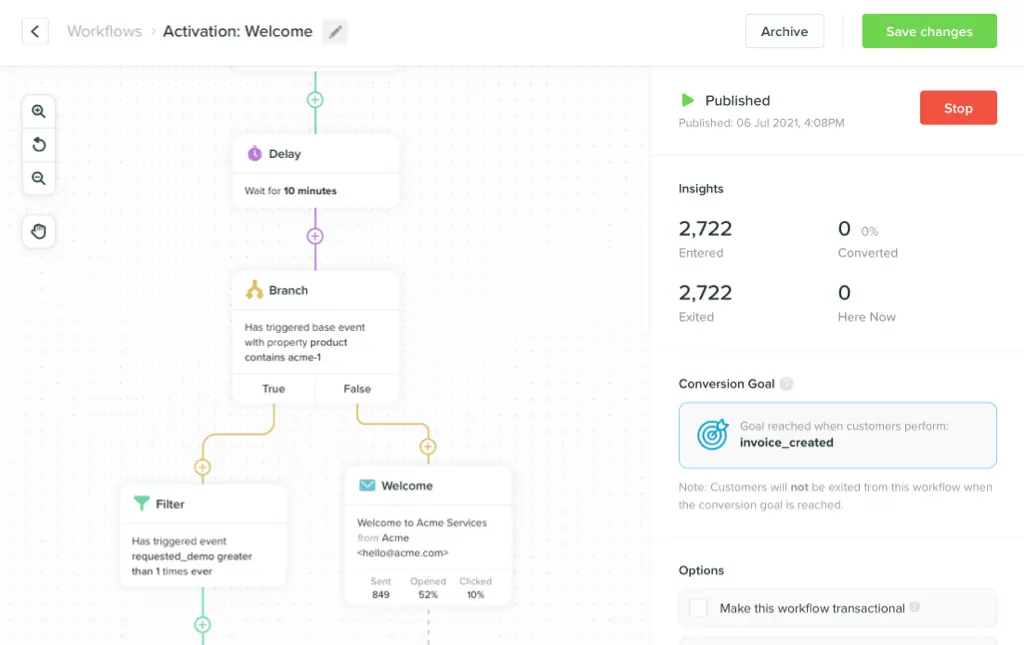
In Vero’s visual journey builder, you set these conditions directly in the workflow. When any exit trigger fires, the user leaves the re-engagement sequence and enters your standard lifecycle messaging automatically.
For delay timing between touches, two to three days is the right pace for most products. Compressing to 24 hours creates inbox fatigue and increases unsubscribe risk. Stretching to 7+ days makes the sequence feel disconnected and gives users time to forget what they signed up for.
Step 7: Measure what matters
Don’t judge re-engagement success by open rates alone. Open rates tell you who noticed your email. They don’t tell you who came back to the product.
The metrics that actually matter:
Reactivation rate. What percentage of users in the sequence took a meaningful in-product action after receiving the campaign? Define "reactivated" before you launch — a log-in counts, but a specific behavioral event is a stronger signal. Build your definition around what a genuinely returning user does.
Click-to-reactivation rate. Of users who clicked an email, how many came back and stayed? If this number is low, the problem is your landing experience — not your email. Don’t optimize the email when the product is the blocker.
Revenue recovered. For SaaS, that’s reactivated paid users who stay past the next billing cycle. For B2C, it’s returning purchasers or reactivated subscribers generating revenue.
Track results at the cohort level. Break down by inactivity tier — 30, 60, 90+ days — to understand where your campaigns deliver real ROI and where effort is better spent elsewhere.
Step 8: Sunset users who don’t respond
This is the step most teams skip. It’s also the most important one for long-term campaign health.
If a user doesn’t respond to your full sequence — no opens, no clicks, no product activity — stop emailing them. Move them to a suppressed segment. Don’t delete the record; they may return on their own. But stop including them in active campaigns.
Why this matters:
Deliverability. Email providers score your sender reputation using engagement signals. Repeatedly mailing unresponsive addresses hurts your deliverability and pushes future sends into spam folders — including for engaged users.
Data quality. Clean active segments make your metrics honest. A 30% open rate on a clean list is more useful than a 5% open rate on a bloated one.
Cost. Most platforms charge on message volume or active profile count. Sending to dead addresses wastes both.
After a 5-touch sequence with zero engagement, suppress the user. Set a 6–12 month check-in cadence to re-test a random 5% sample of your suppressed list. Circumstances change. Some users do come back — just on their own timeline.
Frequently asked questions
What’s a good reactivation rate? A rate of 5–10% is typical for a well-executed campaign. Rates above 15% suggest strong message-market fit or a very recent lapse. Rates below 5% usually mean the segment is too cold, the messaging isn’t aligned, or both.
How long should the sequence run? Two to four weeks for most products. Beyond that, you’re unlikely to recover users who haven’t responded to any touch. Longer sequences increase unsubscribe risk without improving recovery rates.
Should I offer incentives to re-engage users? Selectively. A user who was active for months before going quiet is a much better candidate for an incentive than someone who never completed onboarding. Blanket discounts attract price-sensitive users who churn again quickly.
Is email or push more effective for re-engagement? Neither works as well alone. Email carries the message. Push provides the nudge. A combined sequence — especially where push follows up on an unopened email — outperforms either channel used in isolation.
When should I sunset a user? After 3–5 touches with no engagement across any channel. Suppress them from active campaigns and run a small reconfirmation batch every 6–12 months to capture anyone whose circumstances have changed.
Can I run re-engagement campaigns without a developer? Yes — if you’re on the right platform. The segmentation logic (filter by last event date + activation status) is straightforward in any behavioral messaging tool. The journey builder handles delays, channel routing, and exit conditions without writing code. You’ll need a developer once to make sure the right events are tracked in your product. After that, the campaign is owned by whoever manages your messaging workflows.
What’s the difference between a win-back campaign and a re-engagement campaign? They’re often used interchangeably, but there’s a useful distinction. A re-engagement campaign targets users who have gone quiet in the product. A win-back campaign typically targets users who have cancelled, expired, or explicitly churned. The mechanics are similar — multi-touch sequences with escalating urgency — but win-back campaigns often involve more direct outreach (sales team involvement, one-to-one emails from a founder or CSM) and higher-value incentives.
Should re-engagement be a campaign or an always-on journey? Always-on. A campaign is something you run once against a static cohort. An always-on journey fires automatically whenever a user crosses your inactivity threshold. The always-on version consistently outperforms campaigns because it catches users while they’re still recoverable — not after they’ve been inactive for six months because you finally got around to running the segment.
How do I personalize re-engagement messages at scale? Use event data. The last action a user took before going inactive is the most powerful personalization signal you have. Reference it in email subject lines and push copy. Vero’s journey builder lets you pass event properties directly into message templates — no developer required for each variation.
Conclusion: Build it once, run it forever
Re-engagement campaigns are among the highest-ROI things a product team can run. The users already know you. Acquisition cost is already sunk. Once the sequence is live, it runs automatically for every new cohort that crosses your inactivity threshold.
The best re-engagement programs aren’t one-off campaigns — they’re always-on journeys. Triggered when a user goes quiet. Exited the moment they come back. Measured quarterly and refined at the edges.
If you want to build a re-engagement workflow that coordinates email and push in a single automated journey, start a free trial with Vero — no credit card required.