- All Posts
- /
- Practical tips for auditing the data in your customer engagement platform
Practical tips for auditing the data in your customer engagement platform
Data Management-
 Chris Hexton
-
Updated:Posted:
On this page
The reality is that the day-to-day life of any modern marketer involves a lot of moving data around.
Building audiences, de-duplicating, enriching, merging, subtracting, compiling reports and more.
The marketing technology industry has long sold a dream of a “single source of truth” for your user data.
This is a worthy dream, and not one we should abandon entirely.
But we should also face up to the fact that this may not actually be possible in complex organisations with lots of SaaS tools, a growing team and new features being added all the time.
Owning up to this fact frees us up to find tools and ways to access data when we need it and build processes to clean and organize that data on-the-fly, enabling us to move faster.
In this article I’m going to share some tips for auditing user data in your customer engagement platform, some tips on tools you might not know about and some other ways to think about solving data problems to get the creative juices flowing.
Schemaless profiles and event tracking
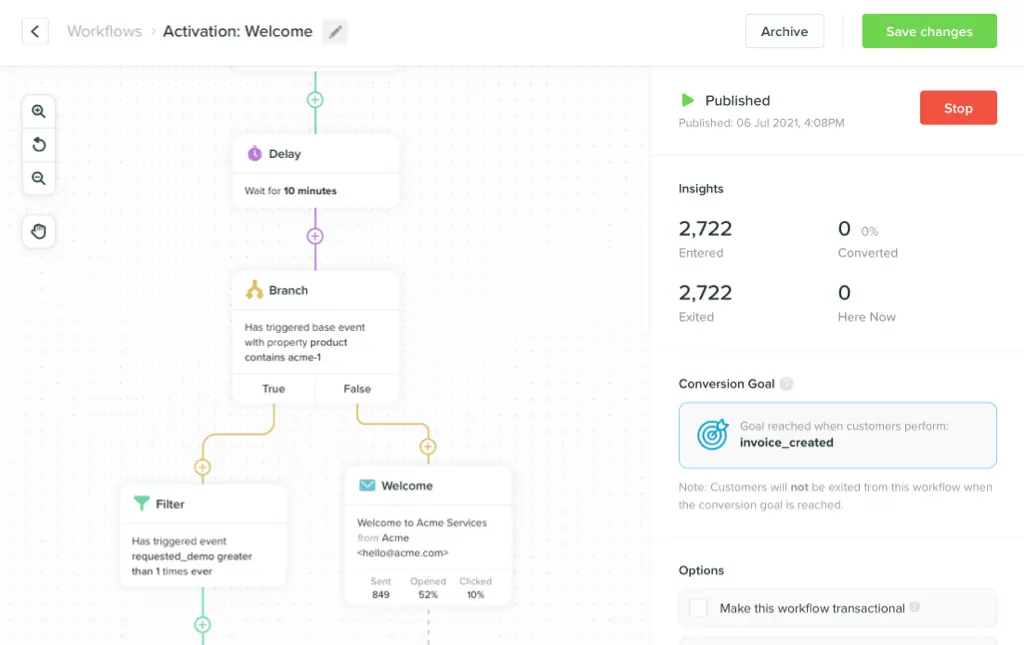
What distinguishes the current wave of customer engagement platforms, like Vero, from the old guard (Salesforce Marketing Cloud—née ExactTarget—Responsys and so on) is:
-
They are schemaless. This means you can
simply add a new attribute, such as
country, to a user profile by calling Vero’s API or using Vero’s UI. You don’t need to go through a process of first updating the database structure. You simply say “This is Chris and he lives in Australia” and the database structure updates itself. - They are event-driven. This means you can track real time customer activity in a “timestream” data format. As things happen, you pass that data to your customer engagement platform and, voila, you can use that data to power journeys and segmentation immediately.
A bit more on event tracking
I always think the description “event tracking” feels a bit esoteric, so it’s nice to quickly recap what an “event” even is.
The concept isn’t new and is inherited from the engineering concept of an event-driven architecture.
From the Wikipedia article:
An event can be defined as "a significant change in state". For example, when a consumer purchases a car, the car’s state changes from "for sale" to "sold".
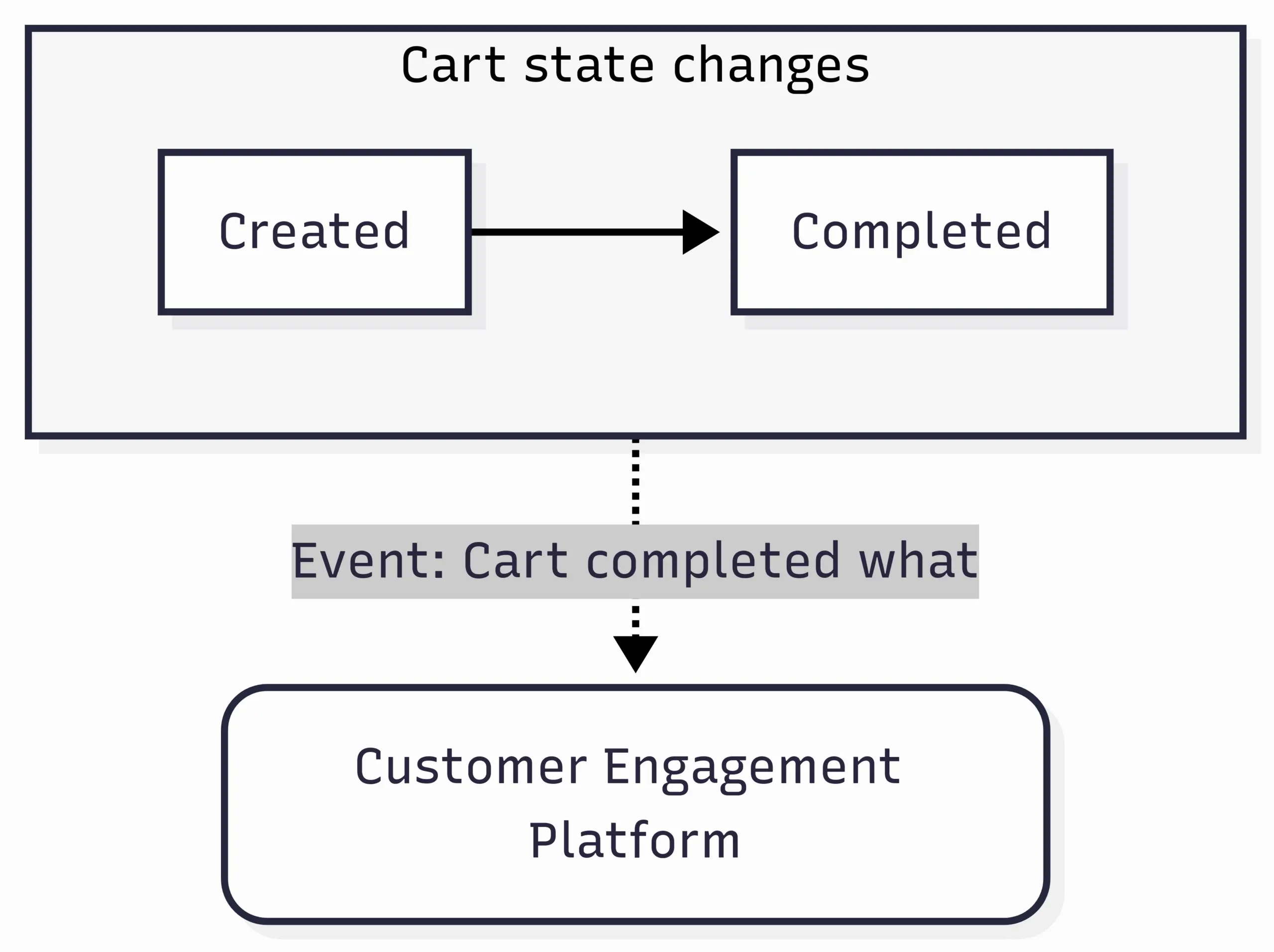
For a more familiar example, when a customer adds a product to a cart on an eCommerce store, the cart is created. Let’s say it’s created with a state defined as “active”. When a customer completes checkout, the cart changes state from “active” to “completed”. When this state change occurs, we emit an “event” to record the state change.
This is the “event” that is sent to your customer engagement platform (CEP). A little diagram:
Contrast this with a user property or user attribute, such as
first_name or last_name or
country. If someone changes country,
it’s not strictly a change in state. User properties are more
like dimensions or data points about an object.
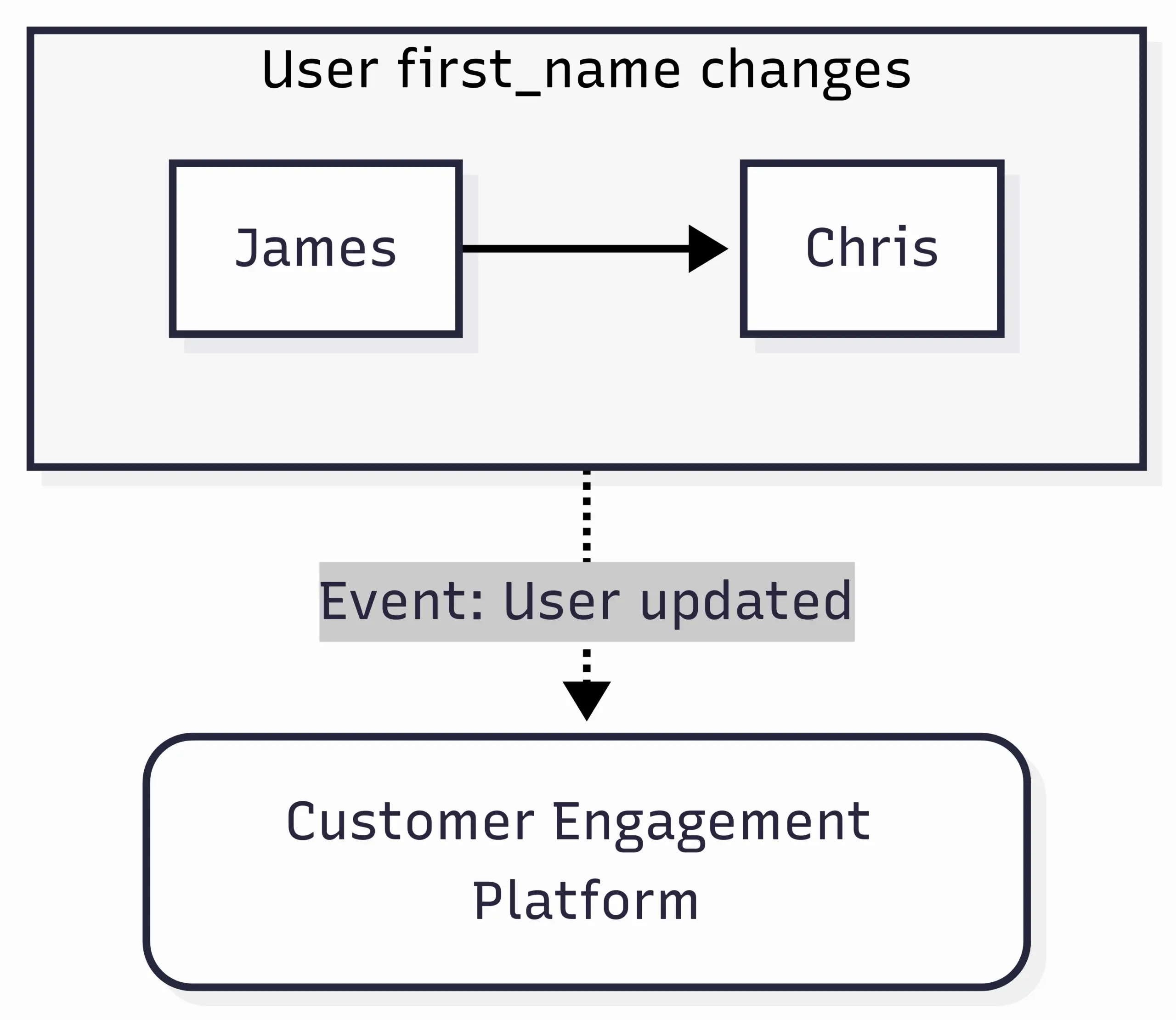
But things get murky and, in the world of CEPs,
it’s common to record changes in these attributes as a state
change. Typically this is done using a generic “User updated”
event with event attributes denoting the values that were
changed. Like so:
With that groundwork, let’s get into auditing your data!
Why and how to audit
A step-by-step guide to how we approach auditing data in your account.
Remove inactive events and attributes
-
Get a list of every event and user attribute in your system
and the date they were last tracked or updated across your
entire user base. E.g. if the user property
last_signed_in_athas not been updated on any user profile for three years, we want to know this. - Pick a cut-off date, e.g. 30 days or 90 days.
-
For those events or attributes that have not been tracked or
updated since the cut-off date, split them into two groups:
- Those you no longer see as valuable: delete.
- Those you do see as valuable: investigate further. See the next step.
Map the source of each event and attribute
For those events and attributes in 3(b) above and all active events and attributes, update or catalogue their source.
You want to catalogue:
- The source-of-truth. What is the absolute gospel, original data source for this event or attribute. E.g. Stripe, production database, Gmail, etc.
- How it’s synced. How is this data transferred from the source-of-truth to your CEP? Javascript SDK, backend SDK, reverse ETL.
- Which vendor is used for the sync? Is it your CEPs native SDKs or CDPs like Hightouch, Census, Segment, Rudderstack, etc.
- Which team or person is responsible for the sync. Who is responsible for maintaining that piece of data? If not clearly defined, who last configured the data sync.
For those events and attributes that are no longer syncing, you can now find the right person and audit the trail to work out why it may not be arriving.
Review your naming conventions
A good part of any audit is to re-align on naming conventions. These should be documented. Ultimately the most important thing is consistency. Here’s some rules we suggest for event names:
- Use past tense (e.g., Signed Up, Completed Onboarding)
- Use Pascal Case or snake_case (standardize across all tools)
-
Use clear verb-object structures (Downloaded
Statement, Updated Preferences)
- There are a few exceptions to this, such as “Signed Up”.
- Where you use generic event names like Clicked Button or Viewed Page you must attach and scope them with event properties.
Often you’ll find similar names or attributes, e.g.
First_name and first_name. If you can
merge these together, perfect. If not, decide which to keep,
export and re-import data using the correct name and remove the
now-unused property.
Sample segments and data
In an ideal world you’d export all user data from your CEP and compare it with the same data in your source(s) of truth.
At scale this gets tricky, quickly. Particularly when you factor in “events”. Exporting 100 million events is not easy to manage and compare. Plus, for many companies events are not stored anywhere other than the CEP.
In these scenarios, sampling your data can be an effective way to get reasonable confidence that data is accurate. It might not provide 100% confidence but often we don’t need this level of confidence for behavioural or marketing emails.
To do this:
-
Sample a number of user profiles and compare the
user property values to their gospel data
sources.
- This is usually relatively simple as these values are generally not too complex.
-
Sample a number of user profiles and compare their
event history to another data source.
- This can be trickier, particularly as event histories get large. You may want to focus on a smaller time frame, e.g. the last 30, 90 or 365 days.
- You might compare to another MarTech tool in your stack, like a CDP or Amplitude/Mixpanel.
- You might compare to another source data. E.g. for “Signed up” events we know these should be present if the user exists in our production database. For “Cart completed” events we can reference actual orders in our database.
-
For key segments, compare the total counts of users in your
CEP to another system.
- Similar to the above, this might be another MarTech tool or raw production data.
- Where there’s a material discrepancy, compare each condition one-by-one with source data to find where the discrepancy is.
This approach should help us feel confident that our data is materially and meaningfully correct.
Why data becomes inaccurate in the first plate
Understanding why data becomes inaccurate is a valuable part of an audit. It frames what we should be looking for and points us in the direction of long-term solutions to solve data challenges.
There are three main reasons I see data become inaccurate in customer engagement platforms, CRMs and other MarTech software:
- Data pipeline hiccups. As data is being synced in real time via API calls, if there’s any minor or major outage in the APIs used to send the data, then the total dataset can easily fall out of sync.
-
Maintainability.
- Lack of consistent conventions. Defining the names of your user attributes and events is not a hard science: it’s a little subjective. As companies and teams grow and change, it’s very common that person A configured the naming conventions used to track data, moved to a new role, with person B then using a slightly different naming convention, for person C—a year or two down the line—to have to reconcile and de-duplicate the data when they next visit that part of their user journeys or product.
- Hold it in-your-head. It’s hard to hold and visualise complex user journeys in your head! Often it feels easier to recreate a user journey from scratch. This can be a fine approach but can result in old data being deleted or ignored, with duplicate data being created.
-
Two-way data syncs. All data originates
somewhere. Take a simple example of a user attribute,
mrr, representing how much a user pays for our SaaS product. The source-of-truth is Stripe. This data gets synced to our CEP in real time. Perfect. But most MarTech tools will let you edit thismrrvalue in the UI. This is fine in theory…but changing themrrfigure in the UI will not automatically go back and update Stripe.- It could be coded so that a change in the CEP gets synced back to Stripe, but this is unlikely as it’s a lot of work and it’s unlikely the CEP is going to be the method for changing users’ subscription details.
- This is known as a two-way data sync challenge and it’s a major cause of data becoming inaccurate. One solution is to sync all attributes once per day/week/month as this will tidy up inadvertent changes in the CEP.
Only ever trust the source of truth
MarTech software vendors have sold us the “holy grail”: that all data related to a user can be accurately and completely synced to a single CRM or CEP profile and then leveraged everywhere.
I’ve been guilty of this too at times. But experience has shown me that often the juice is not worth the squeeze.
Firstly, what absolutely is valuable is to ensure your data is as close to its original source-of-truth as possible, with the least number of steps between the source-of-truth and where that data is used.
Secondly, you don’t always need to come up with a
foolproof, long-term solution
for every use case. For example, it could actually be very
effective to export an audience of emails with accurate
mrr data from Stripe itself, import this into our
CEP for a particular send regarding pricing changes and hit
“send”. It’s tempting to always ask
“how will we ensure this data is accurately synced going
forward”. Thinking this way can sometimes slow a use case down.
I think the trick is to ask whether this data is going to be needed daily, weekly or just a couple of times per year. If the latter, it may not be worth investing in trying to merge this data into a “360 degree profile”.
Thirdly, the less data syncs you have, particularly two-way data syncs, the better for data accuracy. Some ways you can avoid two way data syncs:
- Build audiences directly on your data warehouse. This is why we built our “Vero Connect” features. When we send our product updates to Vero users we load the audience directly from our data warehouse, which is a replica of the core production user data. This means we trust it 100%. We do not rely on data synced to Vero (our CEP, of course!) to build this audience.
- One-way data syncs. If the above isn’t a fit, doing regular syncs of all user attributes to your CEP is a heavy but robust way to ensure all data is accurate. This can help overwrite any unintended changes in the destination system.
- Export from your business intelligence (BI) tool via CSV. As mentioned above, sometimes a quick-and-dirty solution is totally fine. We often see customers export from a BI tool, import into Vero and send. I think there’s nothing wrong with this, particularly for infrequent use cases or segmentation, assuming it helps you achieve your goal!
DuckDB…a handy tool
I shared this on LinkedIn recently and the response was great, so thought I’d share as part of this post.
DuckDB is a handy tool that enables you to create and query “in-memory” databases.
One really cool feature is that you can literally query a CSV file on your machine using SQL without uploading that CSV into a database, either a local database or a cloud database.
It’s pretty magic.
Whilst DuckDB was designed first-and-foremost for data engineers and technical use cases, I’ve found it hugely useful when working with marketing data. So useful I wrote a blog post sharing how you can use it to clean, merge or filter CSVs.
When auditing your data, DuckDB is really useful as it can really quickly enable you to do things like:
- Export data from Stripe.
- Export data from your CEP.
- Compare every row and find data that doesn’t match.
- Write just the inaccurate rows to a new CSV.
Or something like:
- Export a list of users in a segment from your CEP.
- Export a list of users in a segment from your data warehouse (the source-of-truth).
- Compare every row and find data that doesn’t match.
- Write just the inaccurate rows to a new CSV.
…and so on. I mention DuckDB here as it can be useful when auditing and importing data.
—
That’s it for today. This post ended up longer than I expected and jumps around a little but hopefully there’s a tip for everyone when it comes to maintaining data in your CEP.
Keep growing.