- All Posts
- /
- Q1 Product Round-up
Q1 Product Round-up
News and Updates-
 Rory Colsell
-
Updated:Posted:
On this page
Here’s another roundup of everything the Vero team shipped in Q1. It’s been a big quarter — we’ve made major strides toward our two goals: bringing Vero 2.0 to full parity with Vero 1.0 and making it what every customer sees by default, and raising the overall quality of the product. Read all the details below.
Looking forward, Q2 is shaping up to be even bigger. We’re on track to make Vero 2.0 the go-to experience for all customers, and we’re working on capabilities that will push it well past what Vero 1.0 could do — making it the most powerful platform we’ve ever built for automated messaging.
As always, view our full changelog to see all the latest updates as they happen.
✨ Segments 2.0
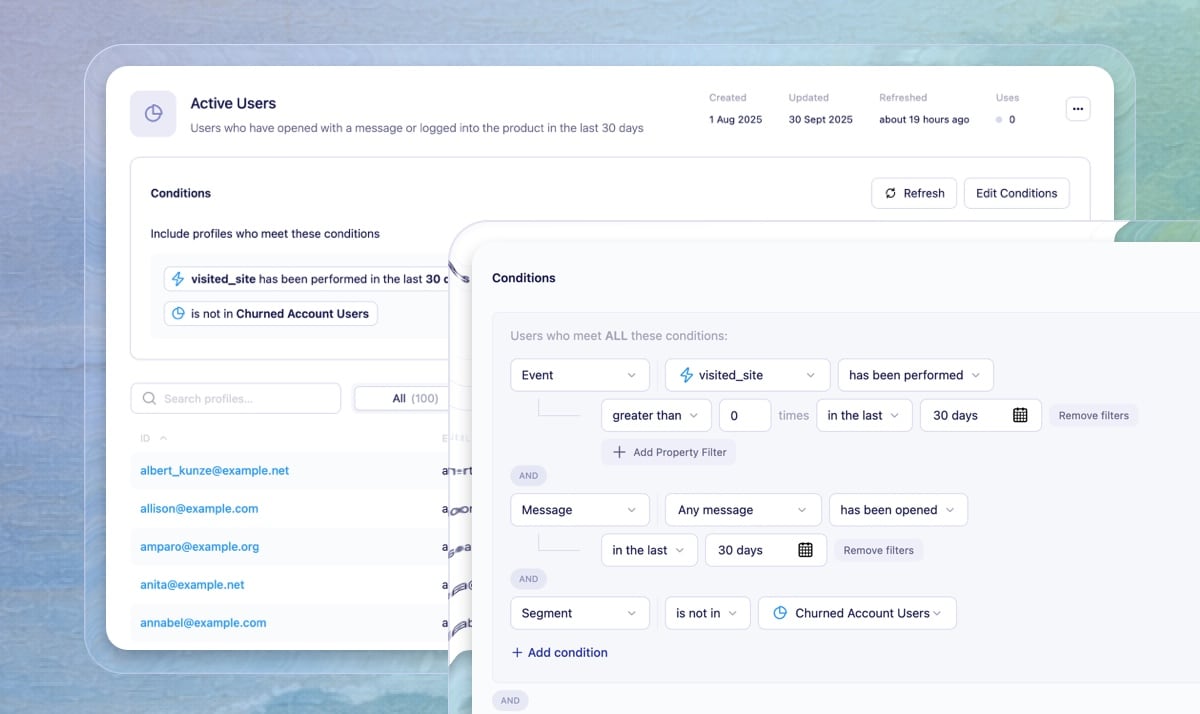
We completely re-built our segmentation builder in Vero 2.0. It brings all the same segmentation power from Vero 1.0, with a much cleaner and more intuitive interface. We also made significant improvements to the segment building workflow, with some key updates:
- Unified event conditions — Event-based segmentation is now consolidated into a single condition with optional filters for properties, time/date, and frequency.
- Description field — Add descriptions to keep segments documented and easy for your team to identify.
- Drag-and-drop conditions — Reorder segment conditions by dragging them into the order you want.
- Condition cloning — Duplicate conditions with a single click to speed up segment creation.
- Instant segment availability — Newly created segments appear immediately in dropdown menus without a page refresh.
- Stronger foundation — Sets the stage for multiple improvements coming soon, such as property filters within a single condition, flexible AND/OR groups, and more interactive date-range options.
All existing Vero 1.0 segments are fully compatible — visible and editable in Vero 2.0, with changes syncing automatically across both platforms.
🔀 True/False and Exit Nodes in Journeys
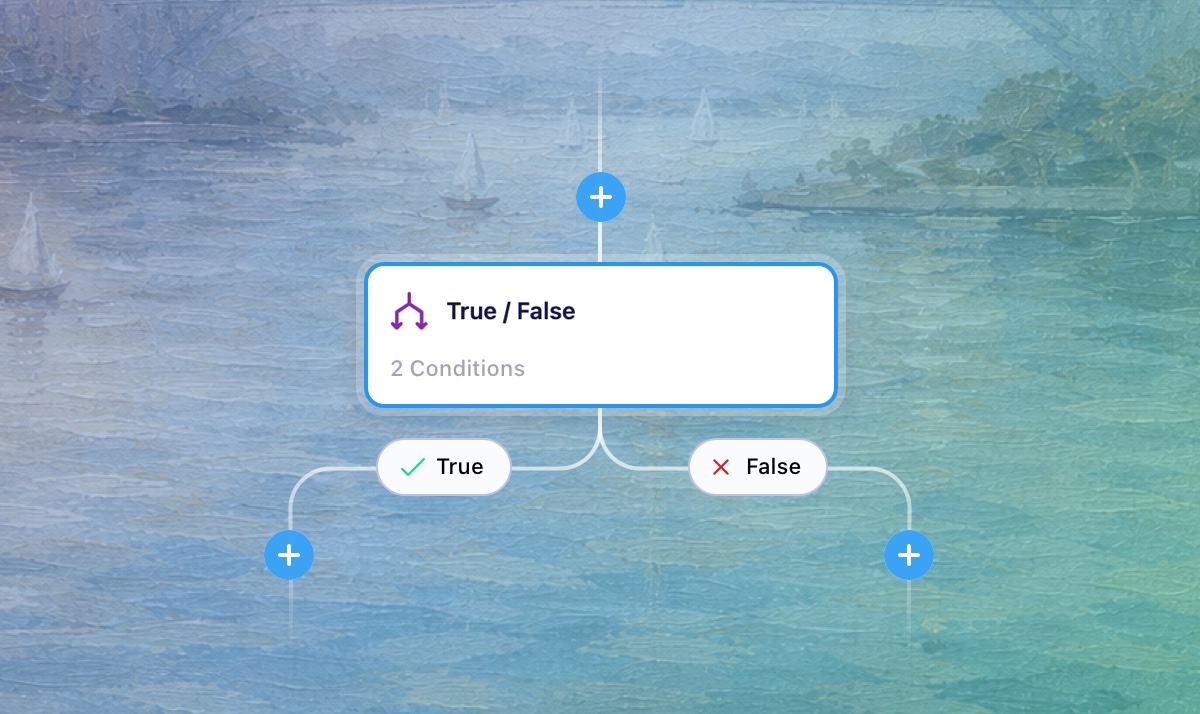
If you’ve used branches in Vero 1.0 Workflows, True/False nodes are the reimagined and re-built version of that concept for Journeys. A critical part of building advanced messaging automations, True/False nodes are how you route users down different paths based on conditions evaluated in real-time: when a user reaches the node, Vero checks your defined criteria and sends them down either the True or False path.
True/False nodes can be nested for complex branching logic, and the condition summary is displayed directly on the canvas for quick review. We’ve also improved how branches render on the canvas, making it easier to see your journey logic and fitting more nodes on the screen at once.
Alongside True/False nodes, we’ve introduced Exit nodes — a simple way to remove users from a Journey at any point. Exit nodes are especially useful for filtering users on the false path of a True/False node, giving you cleaner control over who continues through your automation. This replaces the Filter node from Vero 1.0.
👉 Learn more about True/False nodes & Exit nodes
💬 SMS Support in Journeys
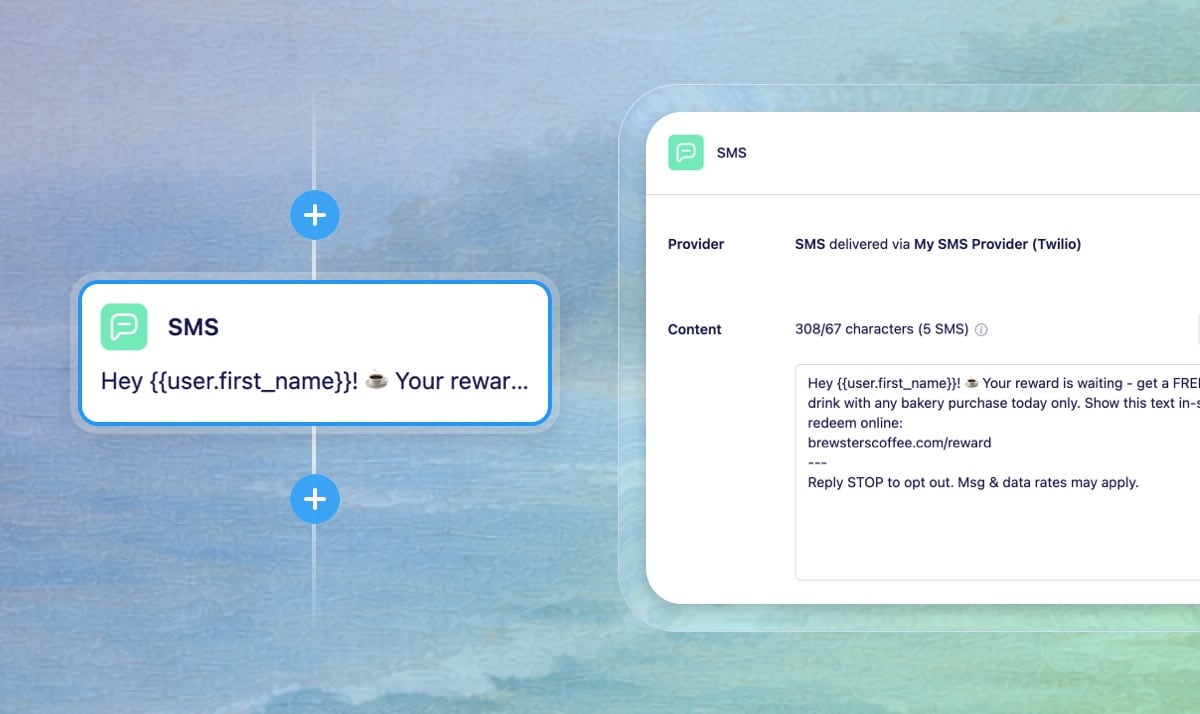
You can now send SMS as part of your automated Journeys, adding
text messaging to your multi-channel marketing strategy
alongside email. Track and store phone numbers via the API using
the phone_number property, then use the dedicated
SMS node to send messages triggered by user
events — appointment reminders, order confirmations, cart
abandonment messages, time-sensitive promotions, and follow-ups.
SMS messages can be personalized with Liquid merge tags to
insert dynamic content based on user attributes or properties
from the triggering event.
To get started, you’ll need to track phone numbers for your users via the API, configure your SMS provider in Vero 2.0 settings, and add SMS nodes to your Journeys.
👉 Read more about SMS nodes & configuring the SMS channel
🎯 Conversion Goal Tracking
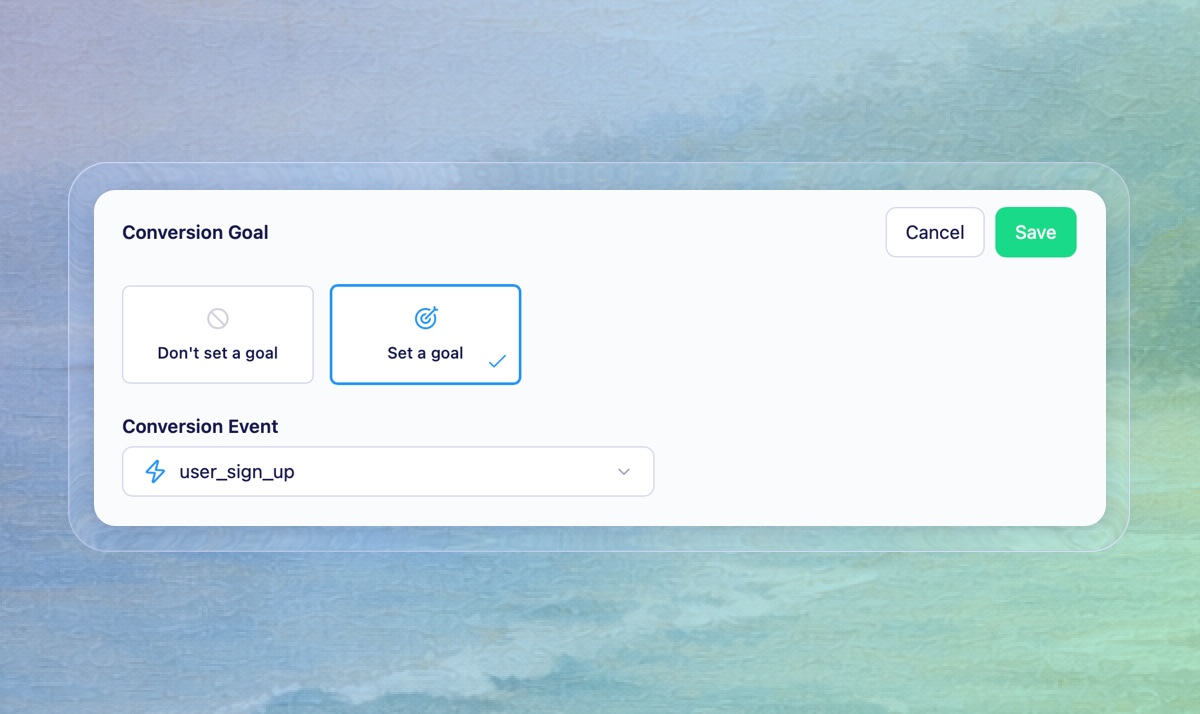
Conversion tracking has been a staple of Vero 1.0 for years — it’s now available in Vero 2.0. You can set conversion goals on campaigns and track how your messages influence customer actions. Assign any event as a goal and Vero tracks three conversion types, visible on the campaign insights page:
- Direct — Users who clicked a link in the email then completed the goal (Automatically handled if using Javascript tracking)
- View-through — Users who first opened the message and then completed the goal afterwards
- Indirect — Users who received the message and completed the goal without opening or clicking
We’ve also released version 2.1.0 of our
@getvero/tracking NPM package with built-in
conversion tracking support.
👉 Learn more about conversion tracking
CMD + K

An increasingly common feature of modern SaaS software, the CMD+K shortcut now brings up a command control giving you quick access to any main section of the Vero 2.0 app. More actions will be added in the future, if you have any suggestions, let us know 💌.
Exports

Similar to Vero 1.0, you can now export your subscribed and unsubscribed user profiles, user activity and segment audiences in Vero 2.0. These exports are listed on the new Exports page for easy access.
Campaign Organization
Single message campaigns have been renamed to "Broadcasts" throughout Vero 2.0, better reflecting their purpose as scheduled, one-to-many sends. Broadcasts and Journeys now also have their own dedicated sections in the sidebar navigation.
Forms

We’ve rebuilt the Forms feature in Vero 2.0. Forms give you an easy way to build HTML forms that you embed on your website to collect user information and subscriptions. This brings a core feature of Vero 1.0 into Vero 2.0 with some useful upgrades.
Sorting

Broadcast and Journey lists in Vero 2.0 now have a new default sort order: Updated at. This means the campaigns you’ve worked on most recently are always at the top of the list. We’ve also added an improved sorting control with more options to suit your preference.
Events

We’ve rebuilt the Events experience for Vero 2.0 with a fully searchable table listing all the events tracked to Vero. Click into any event to see which campaigns use it as a trigger, recent event properties, and users who have recently performed it.
Help Docs
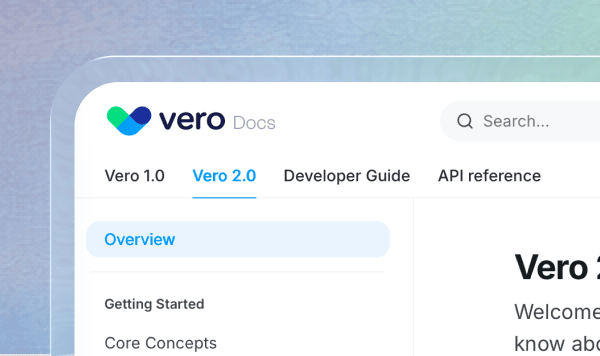
We’ve relaunched our help docs with a new interface, improved search, and an AI-powered chat to help you find answers faster. If you haven’t explored it recently, it’s worth a look — especially as you dig into new features like Journeys and Segments 2.0. Visit the docs
Celebrations

In today’s world it’s important to celebrate the small things. That’s why we’ve added a delightful celebration animation when launching or sending a new campaign. 🎉
Platform Improvements
We made a number of behind-the-scenes improvements this quarter: stronger account security, better reliability with fewer unexpected interruptions, faster performance across the platform, and improvements to how email is sent through providers like SendGrid and Mailgun.
Refiner Integration

Embed Refiner surveys directly in your Vero campaigns and automatically sync survey interactions and response data back to Vero, allowing you to trigger messaging based on feedback and segment audiences by customer insights.
In Case You Missed It…
In the second half of 2025 we shipped several major features:
- Journeys — A faster, cleaner visual canvas for building event-triggered campaigns in Vero 2.0.
- Profiles — Now in Vero 2.0: View and edit user properties, tags, devices, subscription status, and segment membership in one place.
- A/B testing — Test subject lines, content, and run pick-a-winner tests in Vero 2.0.
- Data Destinations — Sync historical and real-time message, campaign, and profile data directly to your data warehouse. No webhooks or complex ETL tools required — just convert your existing data source credentials into a data destination.
From the Blog
Turn Markdown (MDX) files into HTML emails
Our CEO Chris built and open-sourced a tool that converts Markdown and MDX files into production-ready HTML emails in seconds. If you write content in Markdown and want a faster, consistent way to convert it to an email, check it out — and give it a star on GitHub!
Craftsmanship vs. market-seeking
Two types of startups exist: those driven by craftsmanship — a strong internal conviction about how something should be built — and those that work backwards from market opportunity. Neither approach guarantees success, but the best companies, think Apple and Stripe, find a way to master both.
Have feedback? We’d love to hear from you. Reply to this email or visit our feedback portal to share your thoughts and vote on upcoming features.