- All Posts
- /
- Turn Markdown (MDX) files into HTML emails
-
 Chris Hexton
-
Updated:Posted:
On this page
What if I told you you could turn a blog post you wrote in Google Docs into a styled HTML email in 30 seconds?
No drag and drop, no copy-paste. Just an email, ready to go.
Recently, with the help of AI, I’ve built a little tool that enables me to do just that. Today I’m sharing it into the world on GitHub: https://github.com/getvero/mdx-to-email/
I write all of my blog posts in Google Dogs and export them to Markdown for publishing on our blog. I send those blog posts out via Vero as an email, and when I do so, I use a template that’s on-brand and has some consistent styles for readability and image handling.
I’ve been using this tool since about May and I’ve got it to the point where it’s reliable and consistent enough to release.
It used to take me a good 30 minutes—sometimes even longer—to turn my blog post into an email, even with a template and pre-designed snippets and the fantastic drag and drop editor in Vero. I can now ensure that every single blog post looks exactly the same and I can generate that HTML in literally 30 seconds or less.
How it works
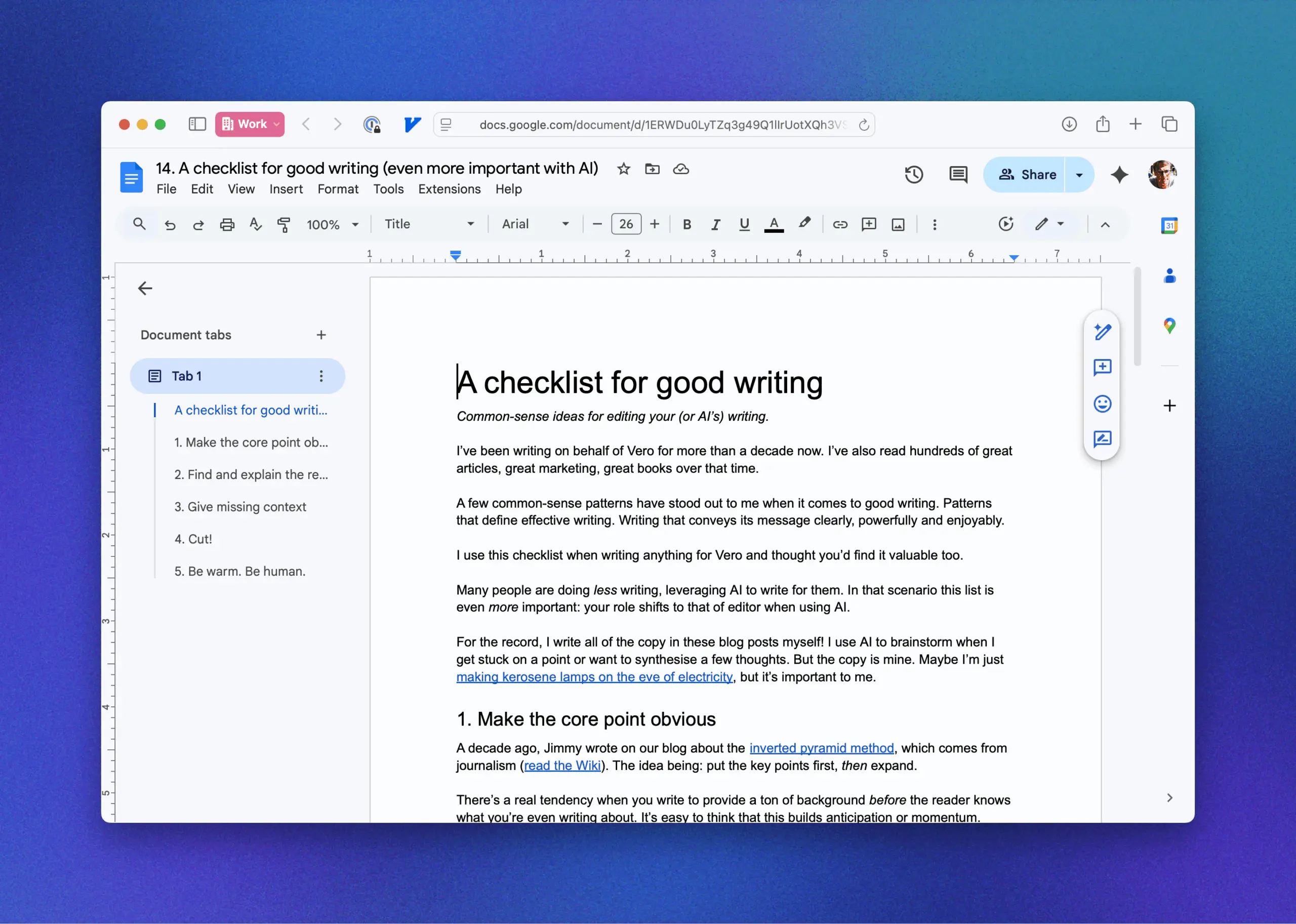
Here’s a screenshot of the input, the blog post I wrote last week:
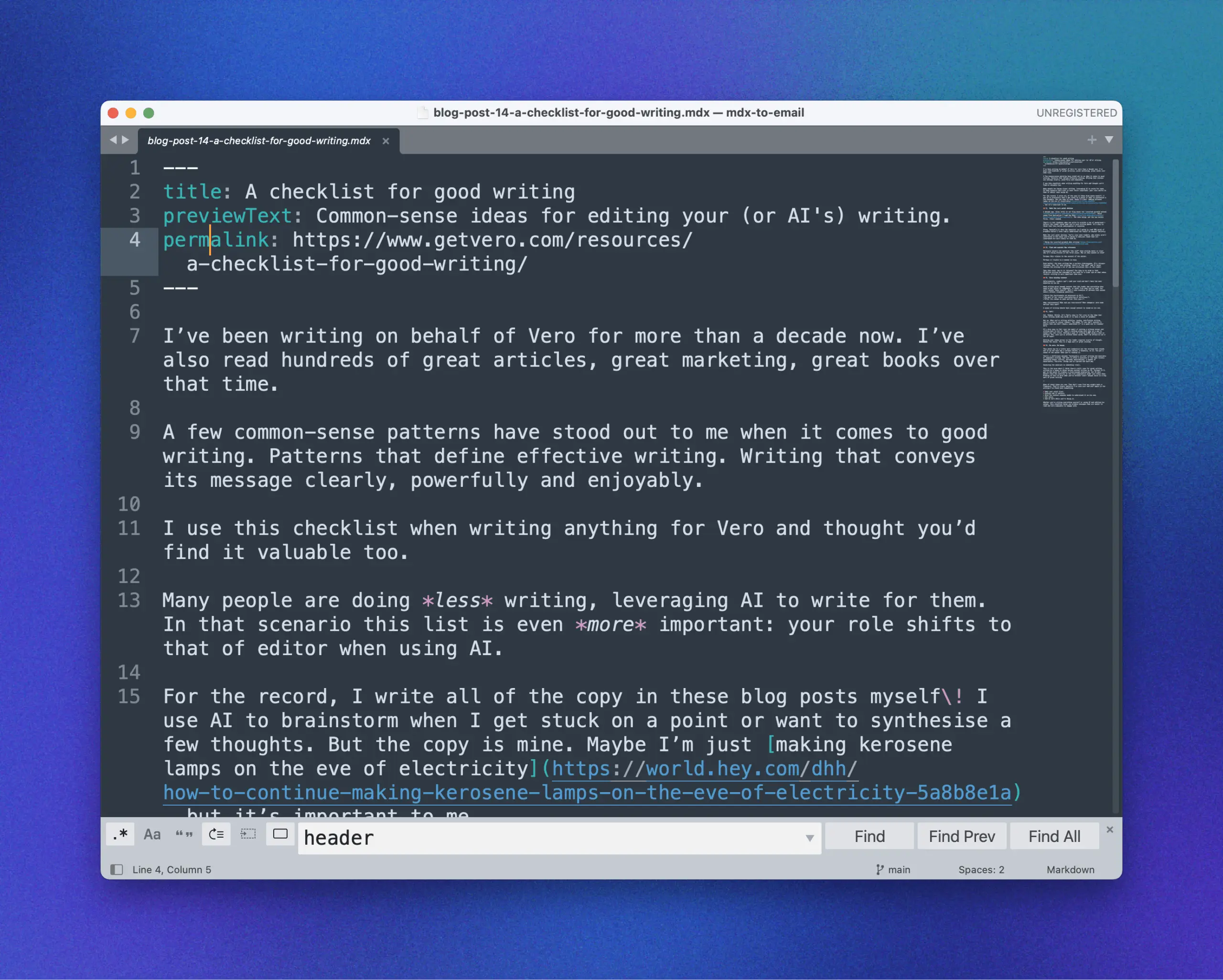
I export this to Markdown (using “File > Download > Markdown (.md)”). Here’s a screenshot of the Markdown file in my text editor, Sublime.
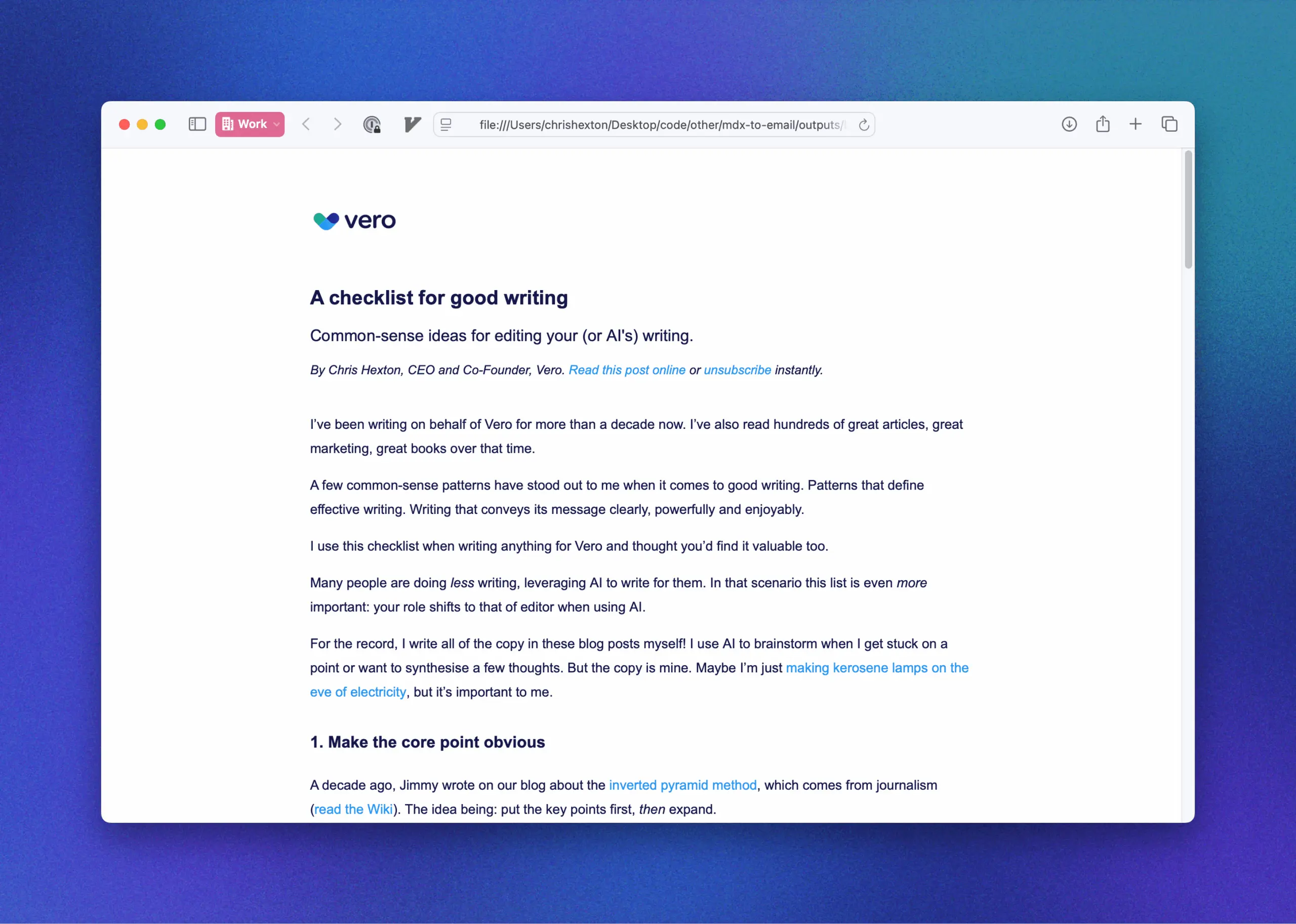
Using my little tool, I run one command in my command line.
> bun main.js inputs/examples/blog-post-14-a-checklist-for-good-writing.mdx…and, 💥! Just like that I get an HTML email that looks like the below.
Here’s a video of me walking through how it all works in a bit more detail: https://github.com/getvero/mdx-to-email/?tab=readme-ov-file#video-walkthrough (sometimes you have to refresh the page for it to show). It’s not the best production quality and it’s a little bit technical, but it all comes together.
Um…hold up, what is Markdown and MDX?
If you haven’t seen it before, Markdown is a way of writing text that uses symbols to denote the formatting.
For example, to denote a “Heading 2” (second-level heading) you would do:
## This is a second-order headingAnd heading three:
### This is a third-order headingAnd do denote bold, you’d do:
**Some bold**That’s all Markdown is. You can read more about it on the creator, John Gruber’s, website: https://daringfireball.net/projects/markdown/. It’s awesome because it separates the styles from the text. It’s a portable way to represent the styles.
MDX gets a bit more complicated. It builds on top of Markdown
and let’s you insert custom, reusable “snippets” of design.
Again, the goal of MDX is to separate the styles and code of the
design from the contents of them (the text). For example, I’ve
created a snippet called \Byline\. It looks like
this in my MDX file:
<Byline subtitle="My byline text is here" permalink="https://www.getvero.com">That can then generate a whole bunch of HTML and CSS and other code needed to style the snippet.
What does this tool unlock?
Some email content, like promotions or product-heavy emails, are design-heavy. They’re very dynamic and have a lot of images or other design elements, and for that, a drag-and-drop email is perfect.
Particularly if the design changes each time you send one. For example, Black Friday only happens once a year, so the emails you’re building are probably going to be relatively unique.
This tool is not helpful for that sort of use case. But there’s a whole category of emails that are text-heavy and go out to customers on a regular cadence. Think product updates, blog posts, legal announcements and more.
Generally in these cases the goal is consistency and clarity. A design that emails are familiar with when they open up your email. Many of the newsletters that I read, such as Ben Thompson’s Stratechery, use very simple but distinct, on-brand designs. They have a unique font choice, unique branding, a unique layout that is a fit for their newsletter.
This tool would be perfect for that sort of use case. It enables anyone who’s a writer, or who’s sending word-heavy emails to have total control over the design but a super lightweight creation process.
With the MDX components you could go a lot further than basic newsletters too (I might cover that in a future newsletter).
What tools can you use it with?
The output of the tool is HTML that’s already been generated on top of MJML, so it’s fully compliant and should work in all major email clients like Gmail and Outlook.
As such, you can literally copy-paste that HTML to your favourite email tool, whether that’s a Vero or MailChimp or something else.
We’re excited about what’s possible with this tool and hope to build it into Vero in the future (if it resonates). We’re releasing it today really to get some early feedback on whether this is useful. Hopefully it is!
Share your feedback
If this tool is in any way interesting or useful to you, please let me know.
If you’re intrigued or can kind of see a use-case but aren’t quite sure how it all hangs together, let me know as well. I’d love to chat with you and learn.
Keep growing, Chris