- All Posts
- /
- Q2 Product update roundup
Q2 Product update roundup
News and Updates-
 Rory Colsell
-
Updated:Posted:
On this page
Hi folks 👋,
We’re a couple of weeks into Q3 already, but before we get too far ahead of ourselves, here’s a roundup of everything the Vero team shipped in Q2.
The headline was mobile push in Vero 2.0 — bringing another channel to Vero 2.0 alongside email and SMS — but we’ve also kept up steady progress on our two ongoing goals: bringing Vero 2.0 to full parity with Vero 1.0 so it can become the default for every customer, and lifting the overall quality of the product. Read all the details below.
Looking ahead, Q3 is about closing the last parity gaps and pushing Vero 2.0 past what Vero 1.0 could ever do — making it the most capable platform we’ve ever built for automated, multi-channel messaging.
As always, view our full changelog to see every update as it happens.
— Rory, Product Manager
📲 Mobile Push in Vero 2.0
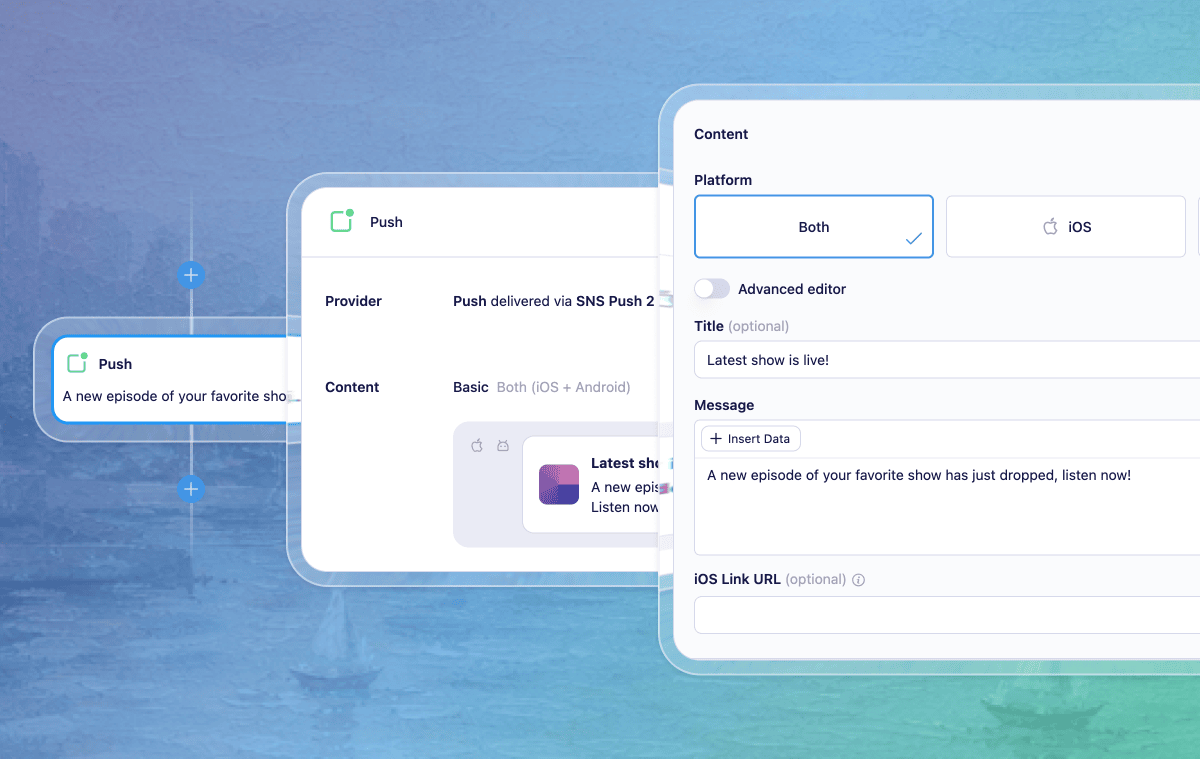
Push notifications are now live in Vero 2.0. You can reach customers directly on their device the Broadcasts and Journeys you already run for email and SMS.
Here’s what’s now available:
- Push channel – Configure and manage push channels alongside your email and SMS channels. We’ve carried across support for the providers you’re already using, including Amazon SNS and Twilio Notify, so existing setups keep working.
- Push in Journeys – A dedicated Push node lets you send a notification at any point in an event-triggered Journey. Use it for the moments where a push lands best: order confirmations, delivery updates, time-sensitive reminders, and re-engagement nudges.
- Push content – Compose push messages easily with the push content editor, with Liquid personalisation, so notifications can be tailored to the user and the event that triggered them.
Push is available for event-triggered broadcast and journey campaigns, and you can easily layer it into existing multi-channel flows.
👉 Learn more about sending Push notifications in Vero 2.0
📥 CSV Imports in Vero 2.0
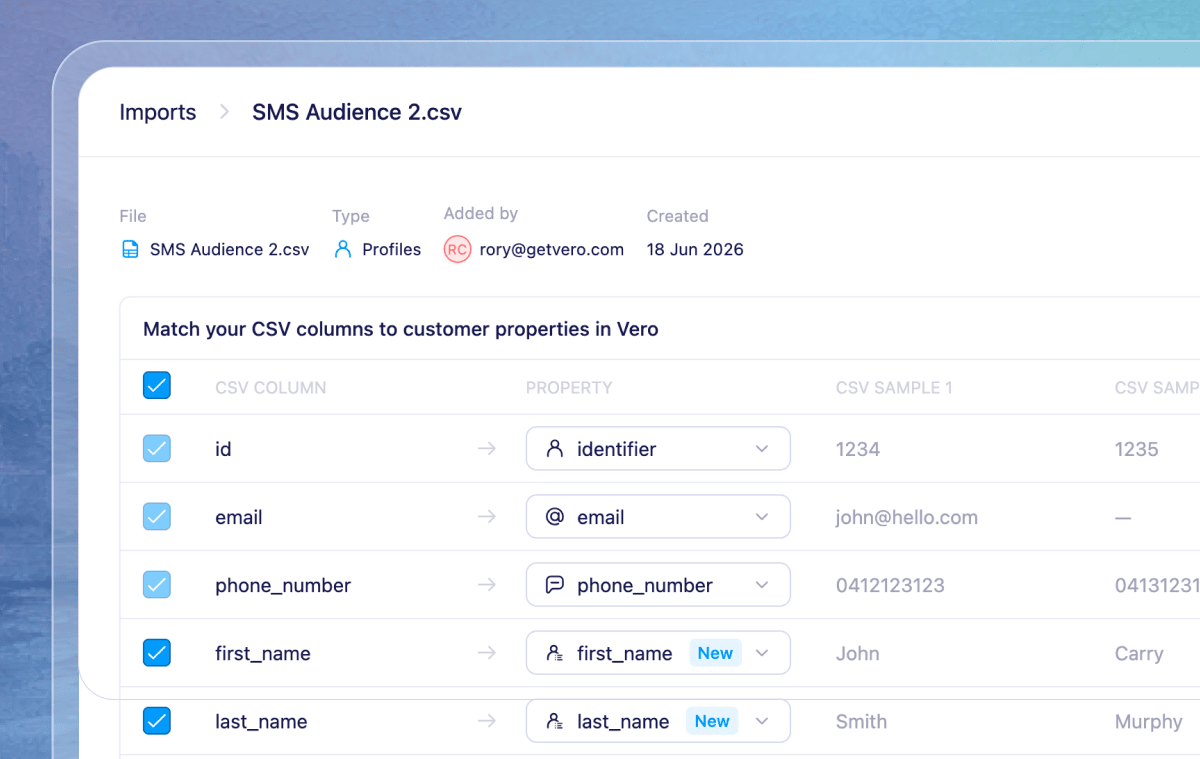
Bringing customer data into Vero 2.0 just got a lot easier. The new CSV import flow walks you from upload → mapping → review, so you can get a list of users or data into Vero using the api or importing data into a campaign.
The mapping step better helps you match your CSV columns to the right fields with clearer defaults, and making it easier to see what will and won’t be imported before you commit. We’ve also tightened up the whole flow so reviewing, correcting, and confirming an import is faster and clearer.
This brings one of the most-used parts of Vero 1.0 into Vero 2.0, another step toward full parity.
👉 Learn more about importing CSV’s in Vero 2.0
⏱️ Dynamic Timing in Journey Delays
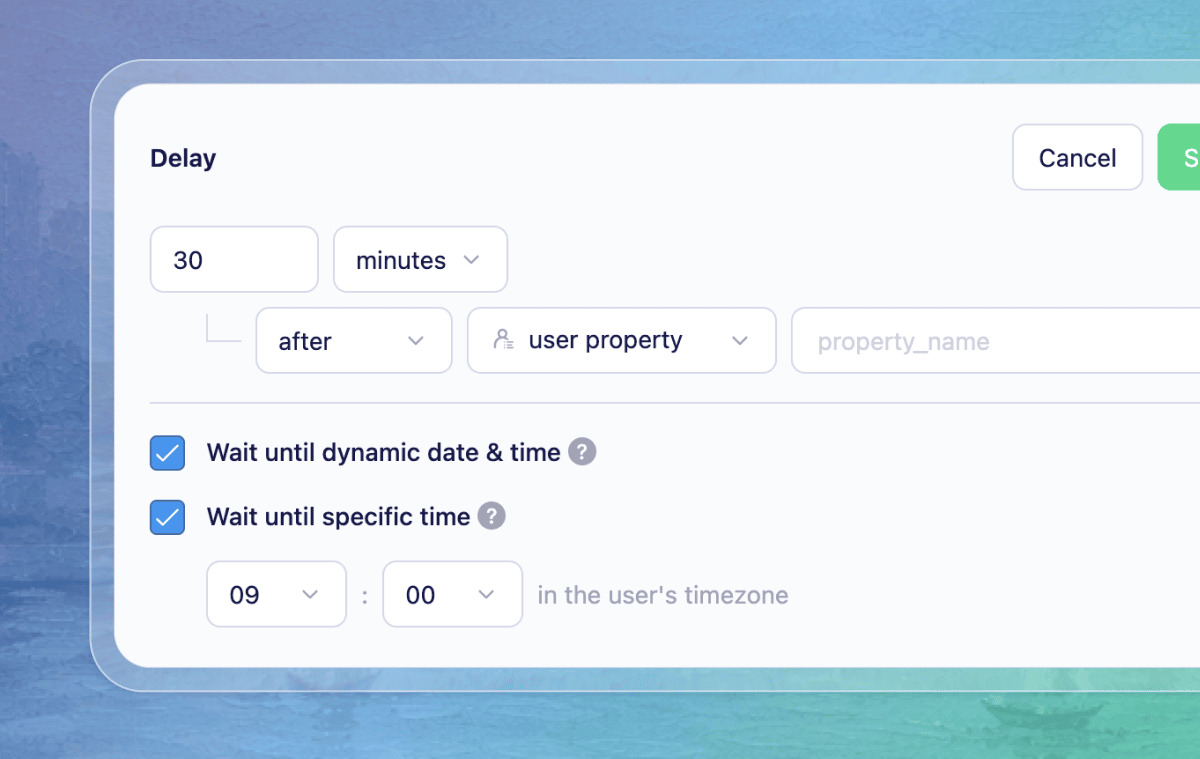
Delay nodes in Vero 2.0 Journeys can now wait for the right moment, not just a fixed amount of time. This matches the dynamic timing available in Vero 1.0 and brings it into the new Journeys canvas.
You can now hold a user in a delay until:
- A dynamic date or time stored on a user or event property — for example, a subscription renewal date, an appointment time, or a flight departure.
- A specific time of day in the customer’s own timezone — so a "good morning" message actually arrives in the morning, wherever your customer is.
Together these give you far more control over when a message lands, which is often the difference between a notification that’s useful and one that’s ignored.
👉 Learn more about delay options
✉️ CC on Emails
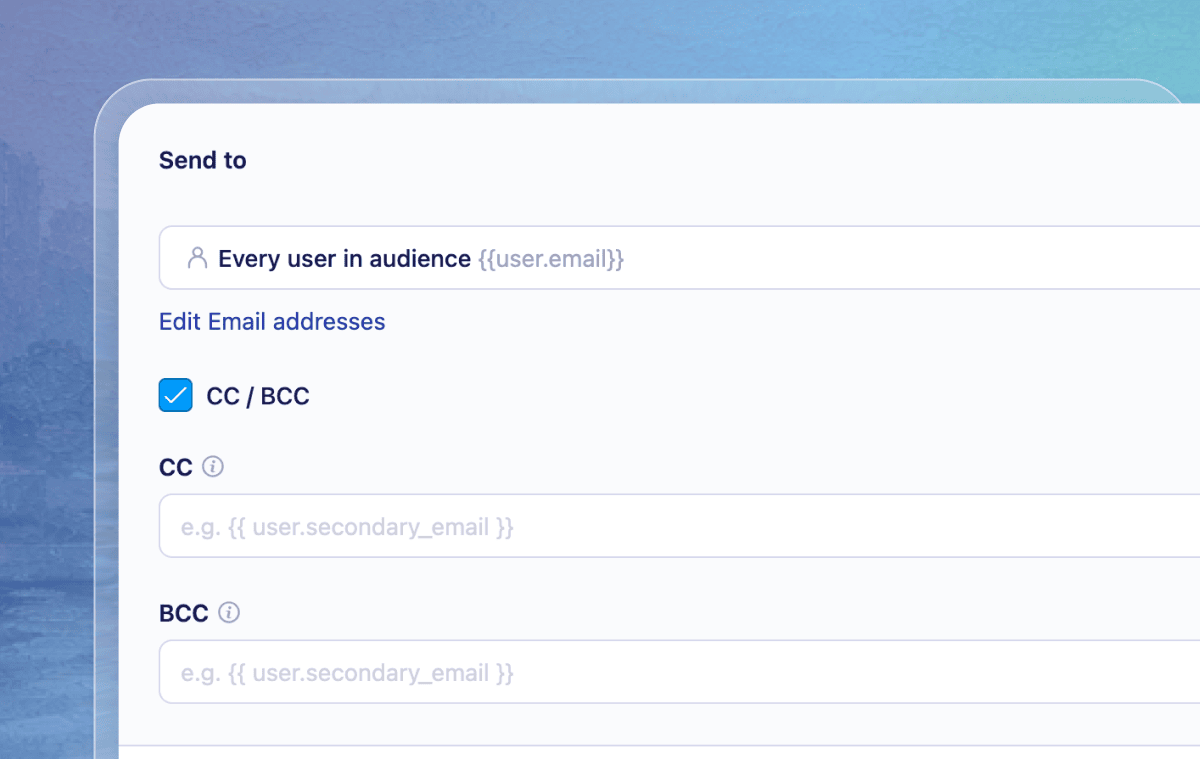
You can now CC additional recipients on emails sent from your campaigns — across both Vero 1.0 and Vero 2.0. It’s a simple way to keep stakeholders in the loop on transactional alerts, internal notifications, or customer-facing sends, without the workarounds people used to reach for. BCC was already available; CC now sits right alongside it.
Open the "To" panel in your campaign’s email step and choose "Include CC/BCC", and you’ll find two clearly labelled fields — CC first, BCC second. Both accept multiple comma-separated addresses and support Liquid, so you can set recipients dynamically from user or event properties.
More from this quarter
Homepage reporting
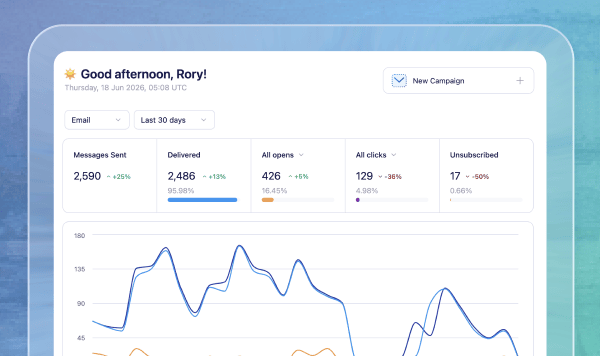
The Vero 2.0 home page now opens with a project performance snapshot: stats for total messages sent, open, click, delivery, and unsubscribe rates across 7, 30, and 90-day ranges, plus an engagement chart showing data over time.
Suppressions on profiles
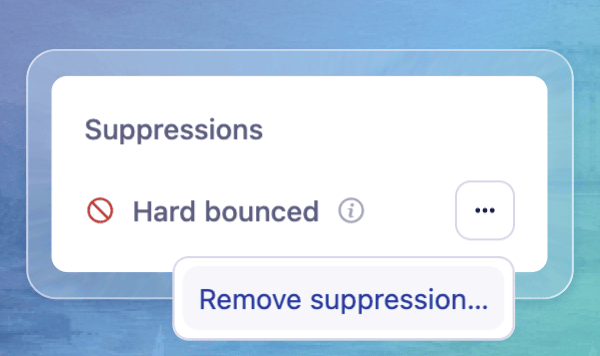
Profiles now show a dedicated suppression and bounce panel, so it’s immediately clear why messages aren’t reaching someone. With the right permissions you can remove a suppression from the profile too, after clear deliverability and compliance warnings.
Campaign labels
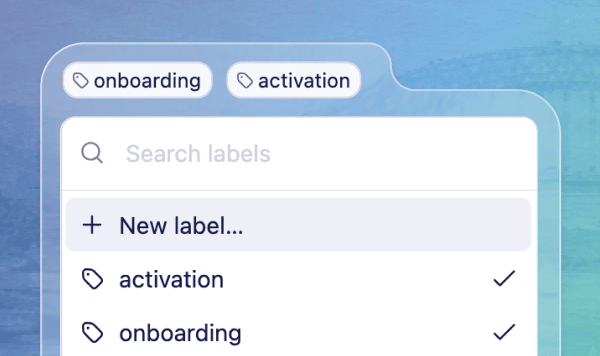
You can now add labels on both Broadcasts and Journeys in Vero 2.0, matching the same feature in Vero 1.0. We’ve also redesigned how they look, reworked the campaign list layout and made it much easier to add and remove labels to a campaign.
Compact sidebar
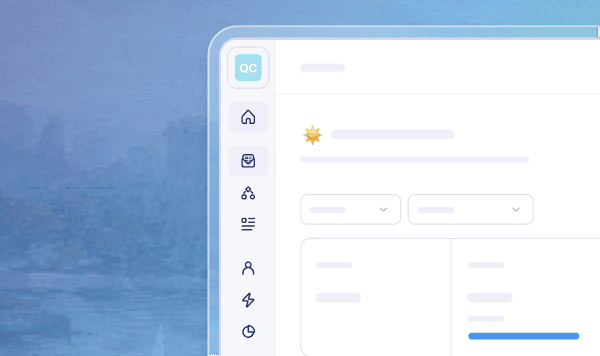
We’ve added a slim version of the main navigation to give you more room to work. It switches on automatically on smaller screens, and you can toggle it on and off at any time you like.
Campaign list filtering
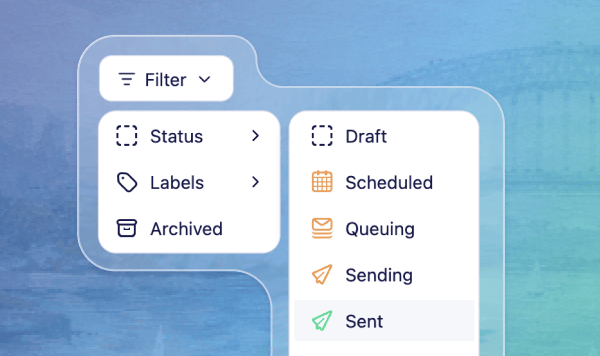
Filtering your campaign lists is now simpler. We’ve consolidated everything into a single "Filter" menu, with dropdowns for "Status" and "Labels" so you can quickly narrow down to find the campaigns you’re after.
Create projects in Vero 2.0
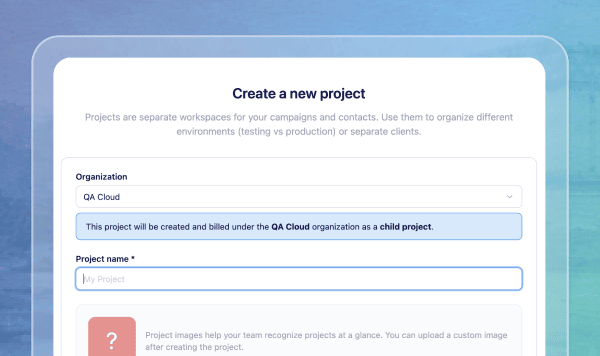
You can now create new projects directly in Vero 2.0 under your main account, billed together with your existing account — just as you can in Vero 1.0. One more piece of parity between the two platforms.
Advanced Liquid discard
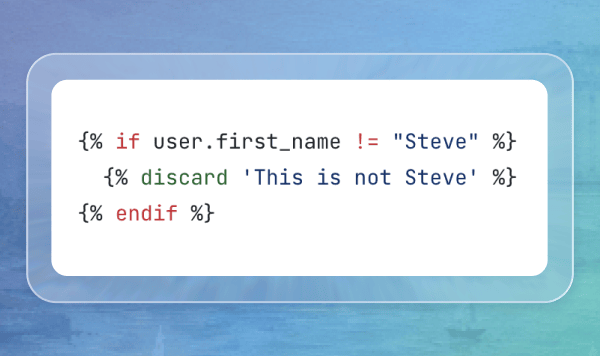
For teams that want finer control over sending, you can now conditionally stop a message going out using Liquid, and attach a reason captured at send time — handy for auditing exactly why a message was held. Learn more
Simpler project & account nav
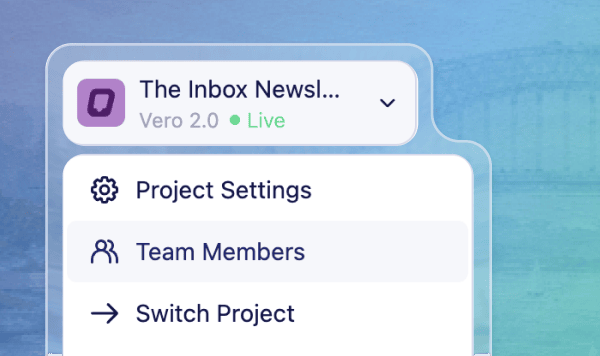
Project switching, project settings, account access, and logout now live together in a single sidebar dropdown in Vero 2.0, so the actions you reach for most are always in one convenient place.
Project delivery modes
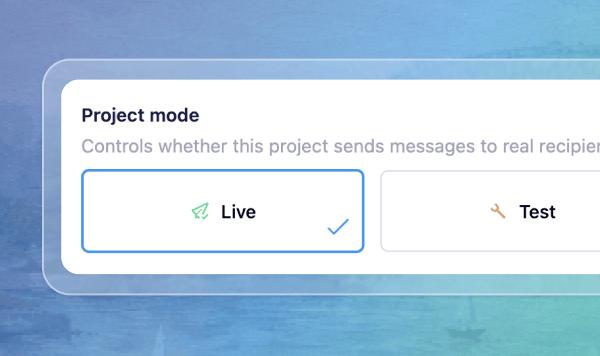
Vero 2.0 projects can now be set to Live, Test, or Offline, with clear status indicators throughout the app. Test mode routes sends to a test address and Offline blocks delivery, so accidental sends are much harder to make.
Scope conditions in Journeys
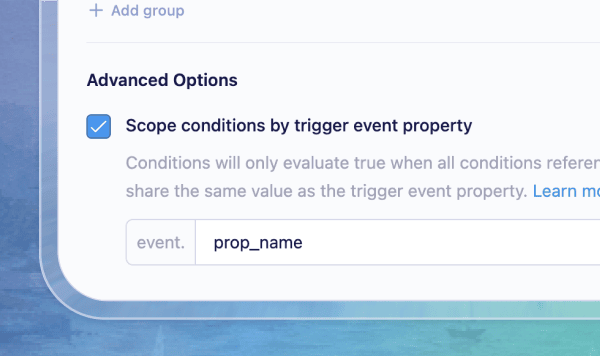
True/false node conditions in Vero 2.0 can now be scoped to a specific event property value, so Vero only matches events sharing that value with the trigger — especially handy for abandonment-style Journeys. Learn more
Improvements & Fixes
We also shipped a batch of smaller fixes and refinements across the platform this quarter, there’s too many to mention so here’s just a few:
- Improved data inspector — For event-triggered campaigns, event properties now appear in the "Data inspector" and "Insert data" menus. Clicking a property now inserts it right at your cursor too.
- Clearer activity logs – Failed events now include the failure type, timestamp, and reason directly in the activity details view, so troubleshooting a delivery issue takes far less digging through logs to work out what went wrong.
- Broadcast stats appear sooner — Broadcast rows now show key performance stats as soon as a send starts, rather than waiting until the broadcast is marked sent.
- SQL editor on smaller screens — cleaned up the SQL query editor layout on narrower screens, with clearer required-column guidance and a simpler results header.
- Previews match the real thing — email previews and thumbnails of rich text emails now render with the same default font used in the editor, so what you see is closer to what recipients get.
Check out every improvement and fix on our changelog
In Case You Missed It…
A few of the bigger things we shipped earlier in the year:
- Segments 2.0 — A complete rebuild of segmentation in Vero 2.0, with a cleaner interface and a more intuitive building workflow.
- SMS in Journeys — Send SMS as part of your automated Journeys, adding text messaging alongside email.
- Conversion goal tracking — Set conversion goals on campaigns and see how your messages influence customer actions.
- True/False & Exit nodes — Branch Journeys with conditional logic and cleanly remove users at any point.
From the Blog
How to trigger emails from product events
Learn how to send automated emails triggered by real user behavior in your product — and turn product events into high-converting lifecycle campaigns.
How to Build an Onboarding Email Flow Based on User Actions
Learn how to build a behavioral onboarding email flow that responds to what users actually do — driving activation, reducing drop-off, and improving first-week retention.
🤝 New Service Partners
We’ve welcomed two new service partners to Vero — teams we’ve worked with and trust to help you set up, audit, and get more out of your Vero account.
NerveCentral
NerveCentral has been a Vero customer since 2013 and knows how to turn email marketing into revenue. To celebrate our new service partnership, they’re offering the first five Vero customers a free 60-minute consultation. Get expert feedback on your setup, campaigns, quick wins, and growth opportunities. No sales pitch, just practical advice. See partner page here.
FML Consultation
FML Consultation helps SaaS, ecommerce, and product-led companies grow revenue through personalized sales, marketing, and data strategies. Founder Khalil Guliwala has worked extensively with Vero and has delivered $25M+ in results over 15 years. Vero customers can start with a free audit and 30-minute consultation to uncover quick wins and growth opportunities.
Have feedback? We’d love to hear from you. Send us a message at support@getvero.com or visit our feedback portal to share your thoughts and vote on upcoming features.